

Development blog · Monthly summary
August 2026: from launch to completion certificates — 24 features in one month
P1network — the business management system built for security-system, low-voltage and electrical installation contractors — launched on 10 August 2026. Within three weeks the partner master, stock, Controlling and Equipment modules were built around the Hungarian tax authority's NAV Online Invoice system. This post sums up what was delivered in August, and why it was done that way.
The launch: NAV lookup, partner master, stock 1.0.0 · 10 Aug
The first release did three things, and those three are still the backbone: partner lookup by tax number from NAV (name, registered office, legal form, validity of the tax number), login and permissions, and the basics of stock management — an item master with CSV import and export, goods receipt and transfers.
The principle we settled on the very first day: master data should come from an official source, not from typing. A contractor's partner list from the tax authority is more accurate than any spreadsheet — and if a tax number becomes invalid, the system re-checks it daily and logs the change 1.38.0.
The same day two small stock features requested by the technicians went in: product image lookup by manufacturer and part number 1.2.0, and serial-number tracking — for serialised items the serial number is mandatory at goods receipt, and the system checks the count and duplicates 1.12.0.
Invoices from NAV — the foundation of Controlling 1.40.0–1.62.0 · 16–24 Aug
In mid-August the Controlling module launched 1.40.0: cost records by category (payroll, rent, vehicle costs, invoices, other), a stock value report, and its own permission. The NAV technical user credentials are entered in Settings, encrypted, and a Test button verifies the connection with a real query 1.49.0 — no files to edit on the server.
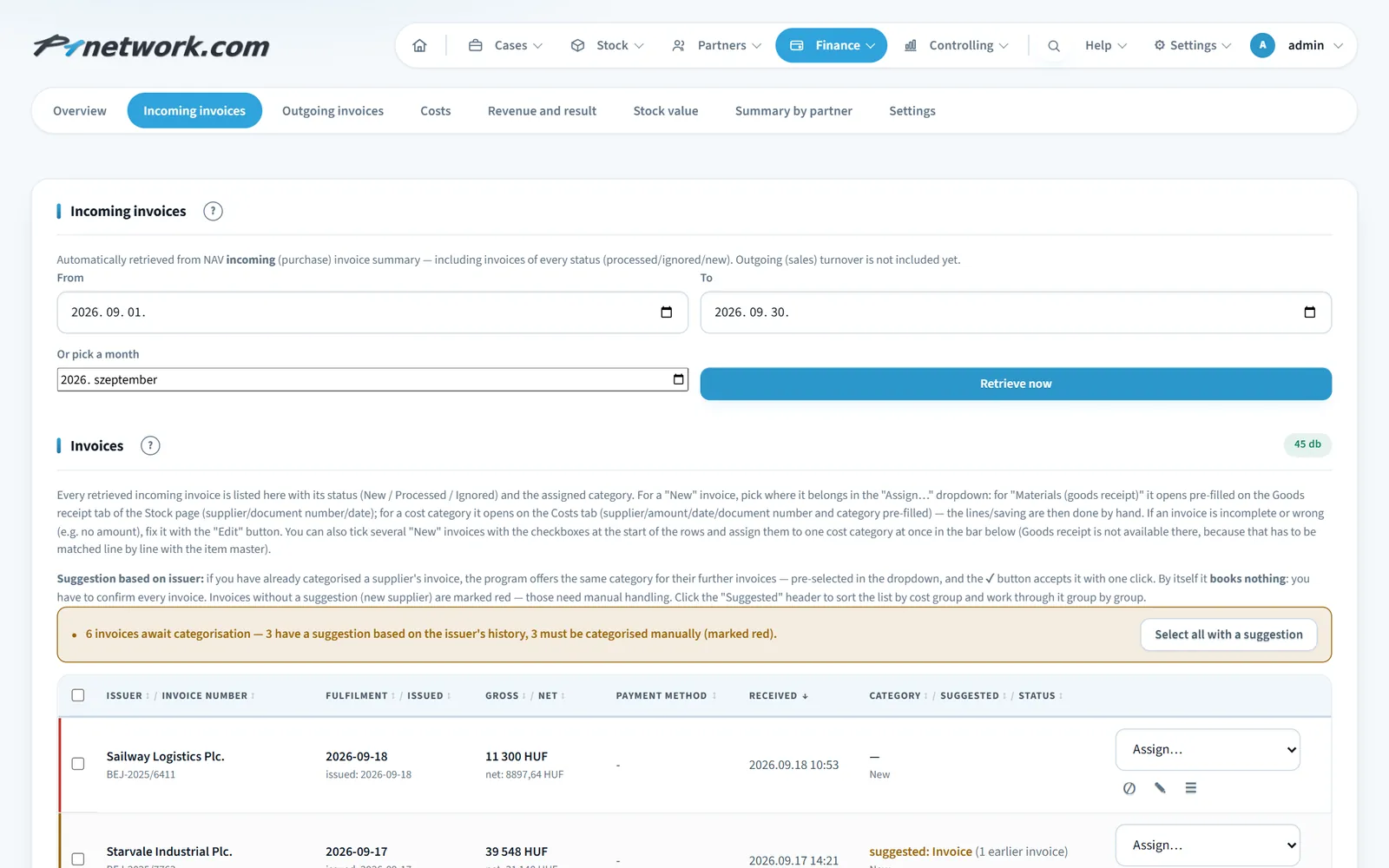
From there it was a straight road to the invoices. The system automatically retrieves incoming (supplier) invoices every night from the NAV Online Invoice system, broken down by supplier and month, retroactively too 1.50.0 — and your own outgoing invoices as well 1.54.0. The revenue side is thus up to date without any manual entry. The line items of each invoice (product, quantity, unit price, VAT) can be viewed directly 1.62.0.
Goods receipt from an e-invoice: no more retyping 1.64.0 · 25 Aug
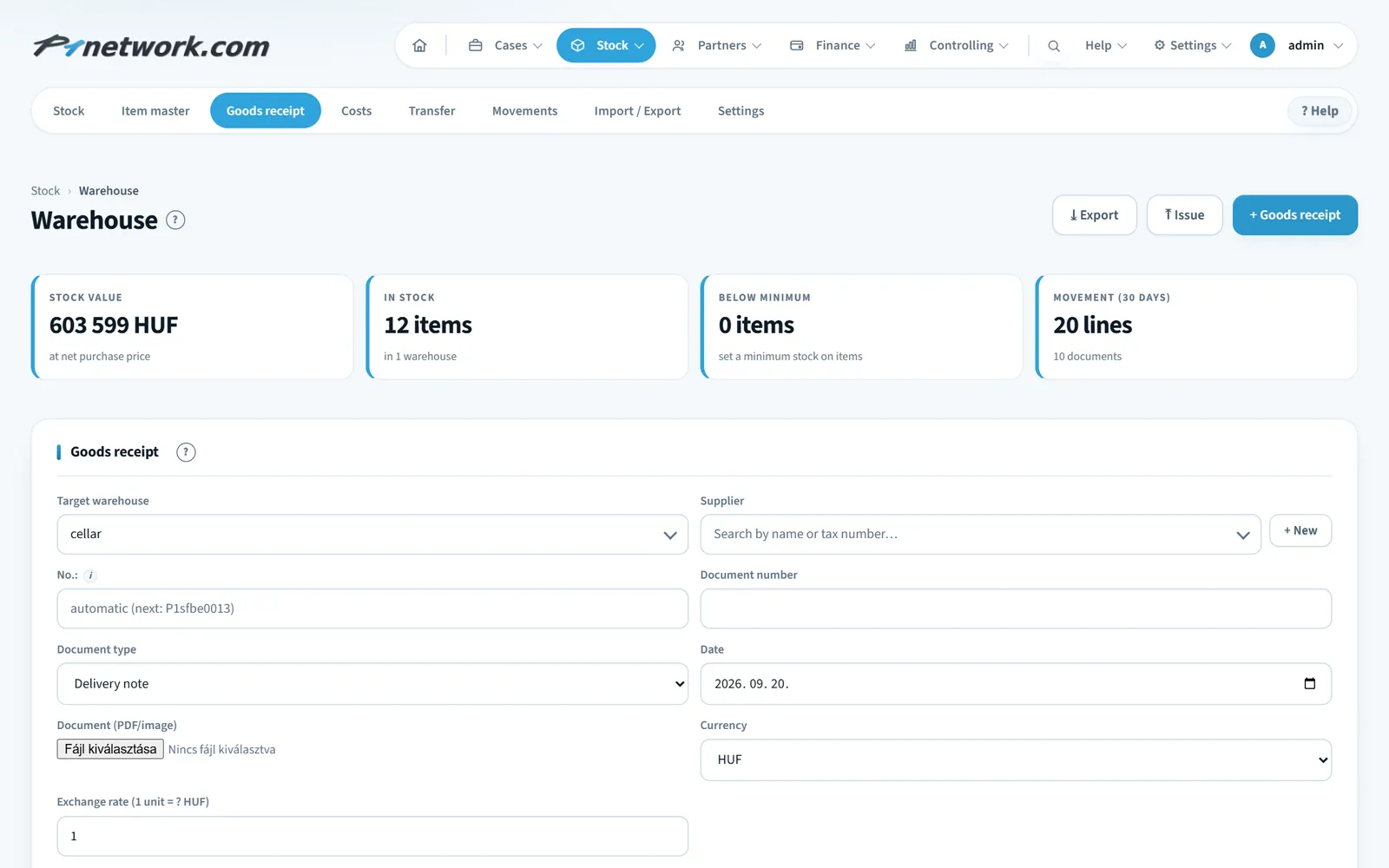
This is perhaps the most important feature of the month, because it removes the most manual work from the storekeeper. From an incoming NAV invoice, a goods receipt can be prepared with one click: the system downloads the invoice lines and offers to match them to products in the item master — anything missing can be added as a new item right there. On save the stock increases and the invoice moves to the "received" status.
If you don't want to keep the material in stock (because it was installed on site straight away), the same invoice is recorded as a cost immediately with the "Materials (non-stock)" category. The program never books anything on its own: you confirm every invoice.
Stock: issues, full movement tracking, editable movements 1.20.0–1.94.0
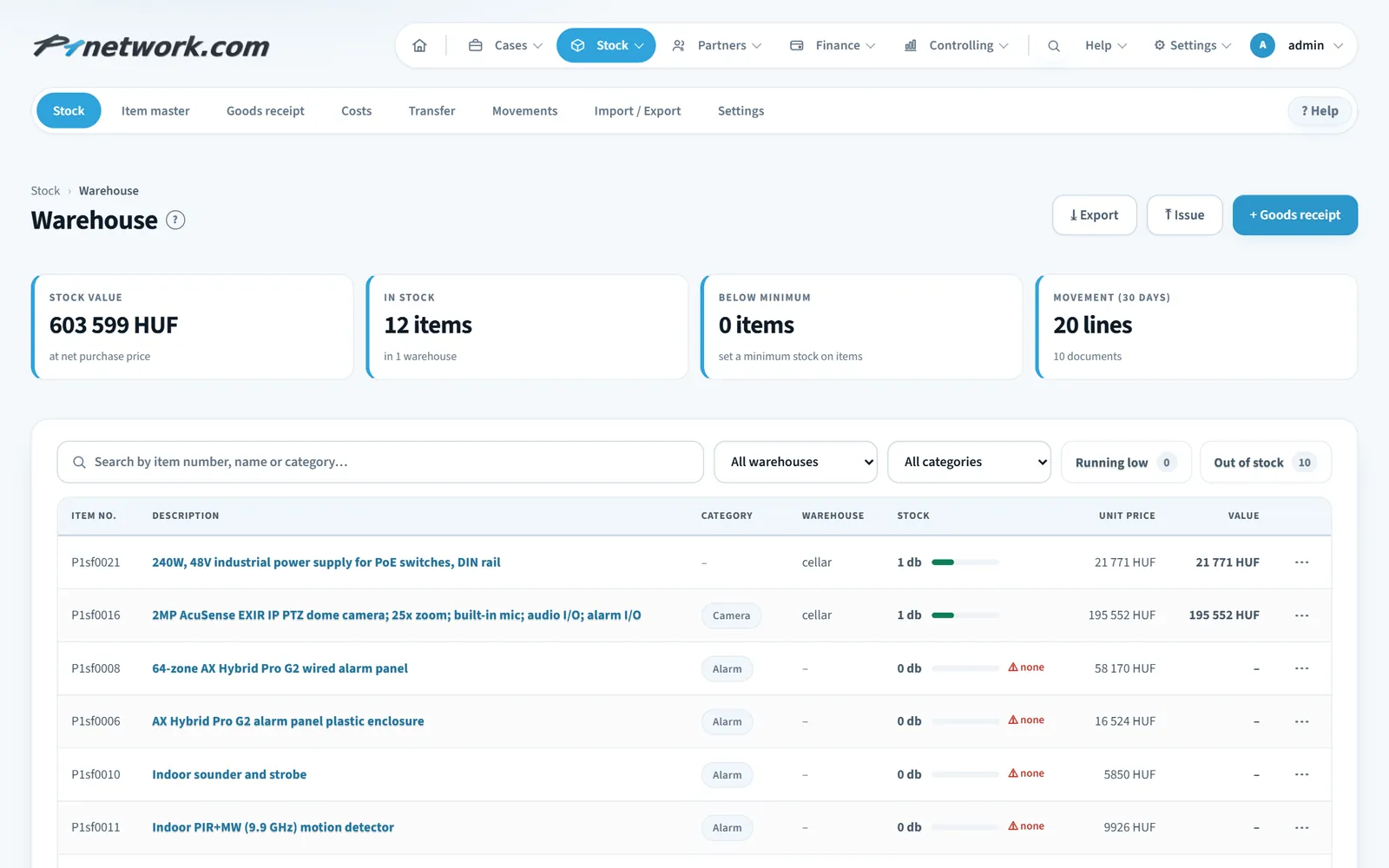
- Issue to customer with the same logic as goods receipt, and the Movements tab showing every movement type with sortable columns, CSV export and printing 1.20.0.
- Document view for every movement: lines, a directly editable note, standalone printing 1.43.0.
- Editing stock movements after the fact (lines, quantity, unit price, serial numbers) — previously you could only delete and re-enter. Editing and deleting are tied to a separate "Stock edit/delete" permission, switchable per user 1.92.0.
- Help for the Stock module: the ❓ button at the end of the tab bar opens on the tab you are on — what it is for, what its fields mean, which permission it needs 1.94.0. This later grew into the system's full Handbook.
Equipment module: your clients' passwords behind two-factor authentication 1.21.0 · 11 Aug
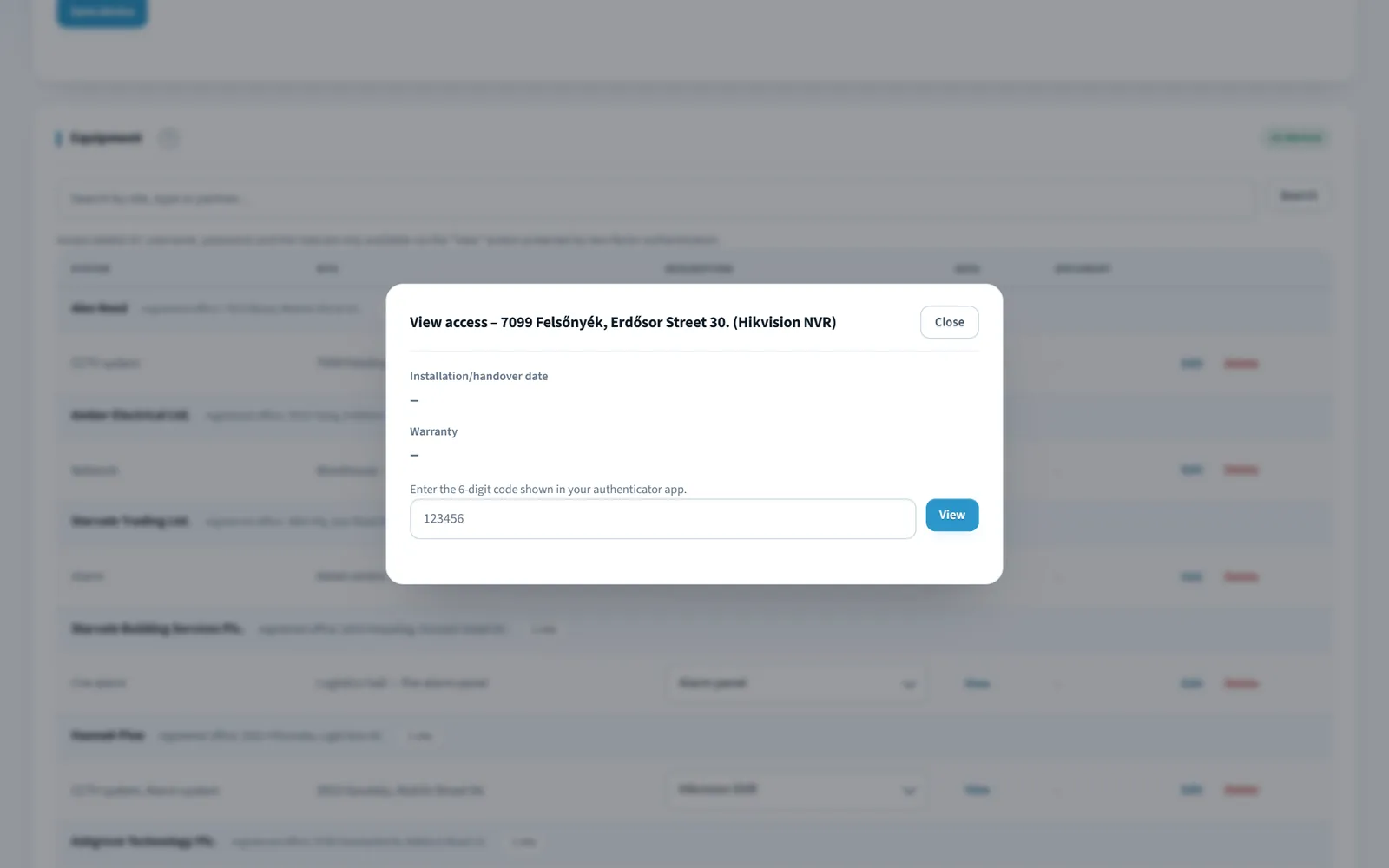
For a security-system contractor the most sensitive data is not the invoice but the login credentials of the clients' systems: recorders, alarm panels, access control, network devices. The Equipment module keeps these per client and per site — passwords are stored encrypted with a separate key, viewing them requires two-factor (TOTP) authentication, and every action is logged.
The Activity log was completed the same day 1.18.0: every meaningful change (who, when, what) can be looked up on a dedicated admin page — saving a partner, categorising an invoice, viewing a password, login attempts.
Profit the accountant's way, VAT, receivables 1.59.0–1.80.0
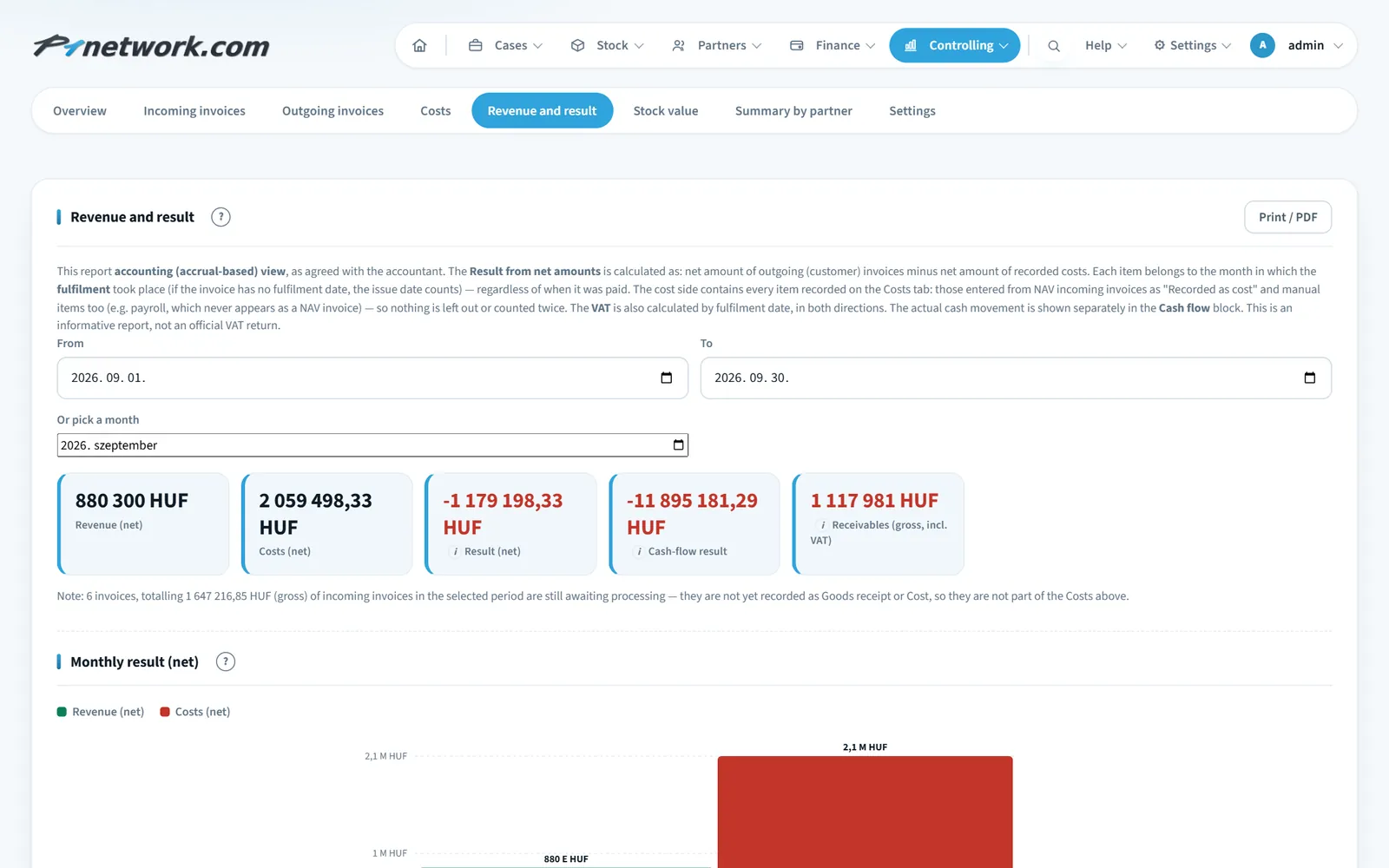
Once both incoming and outgoing invoices came from NAV, it became possible to build the company's financial picture from real turnover rather than manual plan figures:
- VAT report: VAT payable from outgoing and deductible from incoming invoices, by month and with a balance — by fulfilment date, as VAT accounting requires 1.59.0.
- Payments and receivables: on outgoing invoices the payment date and amount can be recorded, retention with its own due date; the list shows the outstanding amount and the deadline, with a warning when overdue 1.69.0.
- Accounting profit statement, agreed with the accountant: Revenue and result is accrual-based, from net amounts, by month; alongside it the cash-flow result and receivables, so the real cash movement is visible too 1.80.0.
System: forgotten password, ticketing, refreshed interface 1.41.0–1.78.0
- Forgotten password: reset by e-mail without logging in, and a new password set directly by an admin 1.41.0.
- Your own logo and company details: the uploaded logo and company details appear automatically on every printable document 1.45.0.
- Idea / fix ticketing: anyone can report a bug or suggest a feature from the top menu, with an attachment and priority; a dot shows the number of open requests 1.73.0. It is still the shortest route from user to developer.
- Refreshed look: a lighter, cleaner interface, a compact menu bar, zebra-striped tables with tabular figures; wide lists with merged columns, no horizontal scrolling 1.78.0.
To close the month: the completion certificate 1.95.0 · 31 Aug
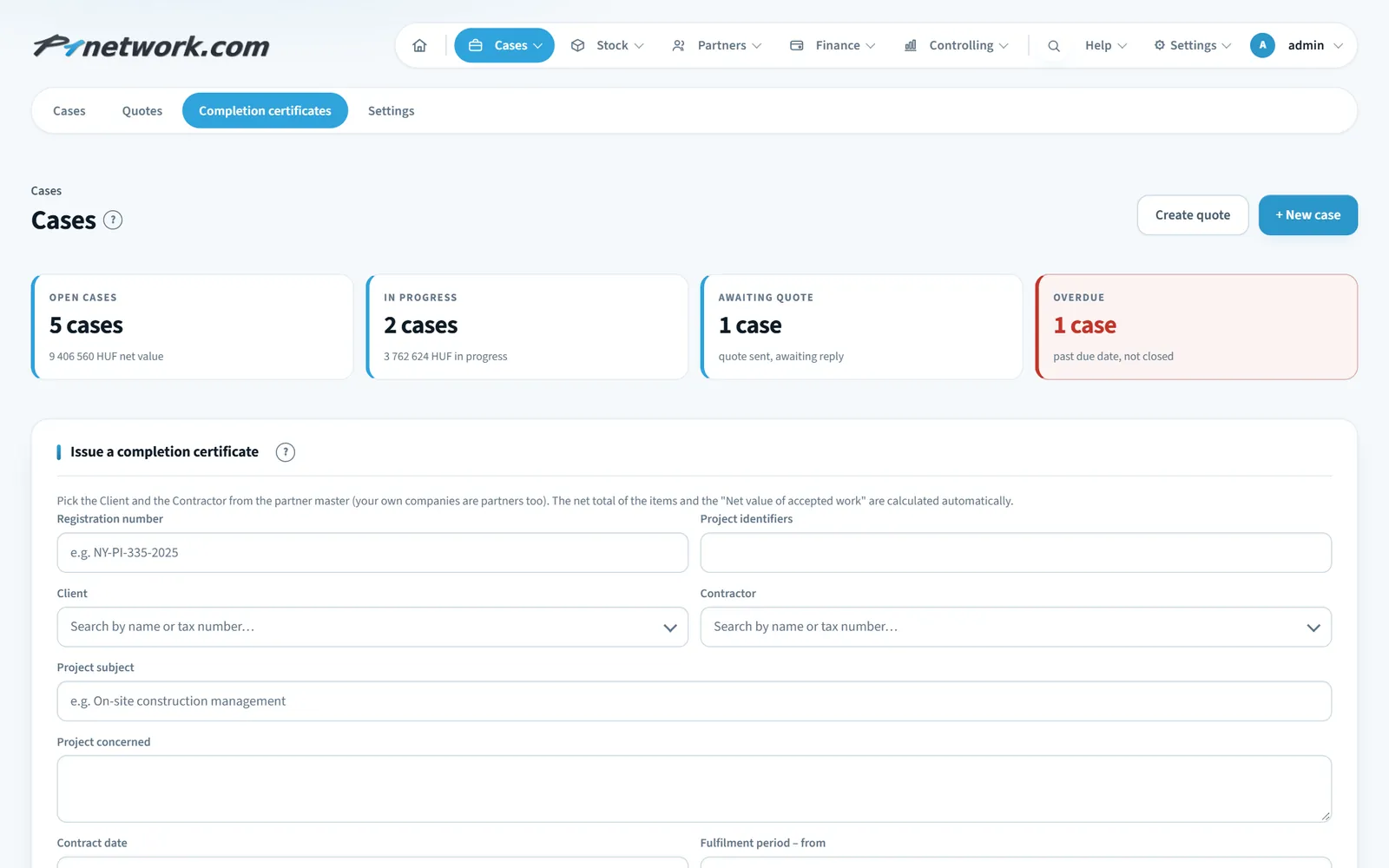
On the last day of the month the completion certificate went in — the document with which the client confirms that the work is done, and on the basis of which the invoice can be issued. You pick the Client and the Contractor from the partner master, the total of the items and the amount in words are calculated automatically; issued certificates can be looked up, edited and printed.
With that, by the end of August the first half of the chain was in place: partner → invoice from NAV → goods receipt → stock → controlling → completion certificate. What was missing — cases and quotes, rosters, on-site surveys, digitally signed worksheets — came in September; that is what the next post is about.
Want to see it on one of your own jobs? In a 30-minute online demo we walk through it: quote, materials, roster, invoice.
Book a demo